
Check yes or no is a simple phrase that asks someone to choose between two answers. It appears on forms, surveys, school papers, online quizzes, and business documents. The goal is to make answering fast and easy. Most people see this option every day without thinking about it. However, using it correctly helps avoid mistakes and confusion. A clear yes-or-no choice also improves data collection and saves time. In this guide, you will learn what check yes or no means, where to use it, and how to design better forms. You will also see real-life examples, common mistakes, expert tips, and frequently asked questions. By the end, you will know when a simple yes-or-no checkbox is the best choice.
Quick Summary
- Check yes or no means selecting one of two possible answers.
- It is common on forms, surveys, applications, and questionnaires.
- It helps collect simple and clear responses.
- Users should choose only one option unless instructed otherwise.
- It improves accuracy and speeds up form completion.
- It works best for questions with only two possible answers.
What Does Check Yes or No Mean?
Check yes or no means marking either Yes or No to answer a question.
It is a binary choice. Only one answer should be selected.
For example:
Question: Do you have a driver’s license?
☐ Yes
☐ No
The person checks one box to show their answer.
This format removes confusion and keeps responses consistent.
Why Is Check Yes or No Important?
A yes-or-no option makes forms easier to complete.
Benefits include:
- Saves time
- Reduces writing
- Improves accuracy
- Makes data easier to analyze
- Works well for digital and paper forms
Businesses, schools, hospitals, and government offices use this format every day.
Where Is Check Yes or No Used?
You can find this format almost everywhere.
Common examples include:
Job Applications
- Are you legally allowed to work?
- Have you worked here before?
Medical Forms
- Do you have allergies?
- Have you had surgery?
School Forms
- Do you need transportation?
- Have you completed the assignment?
Online Surveys
- Would you recommend this product?
- Have you used our service before?
Event Registrations
- Will you attend?
- Do you require special assistance?
How Does Check Yes or No Work?
The process is simple.
- Read the question carefully.
- Decide whether the answer is yes or no.
- Check one box.
- Leave the other box empty.
- Review your answer before submitting.
This method keeps responses clear.
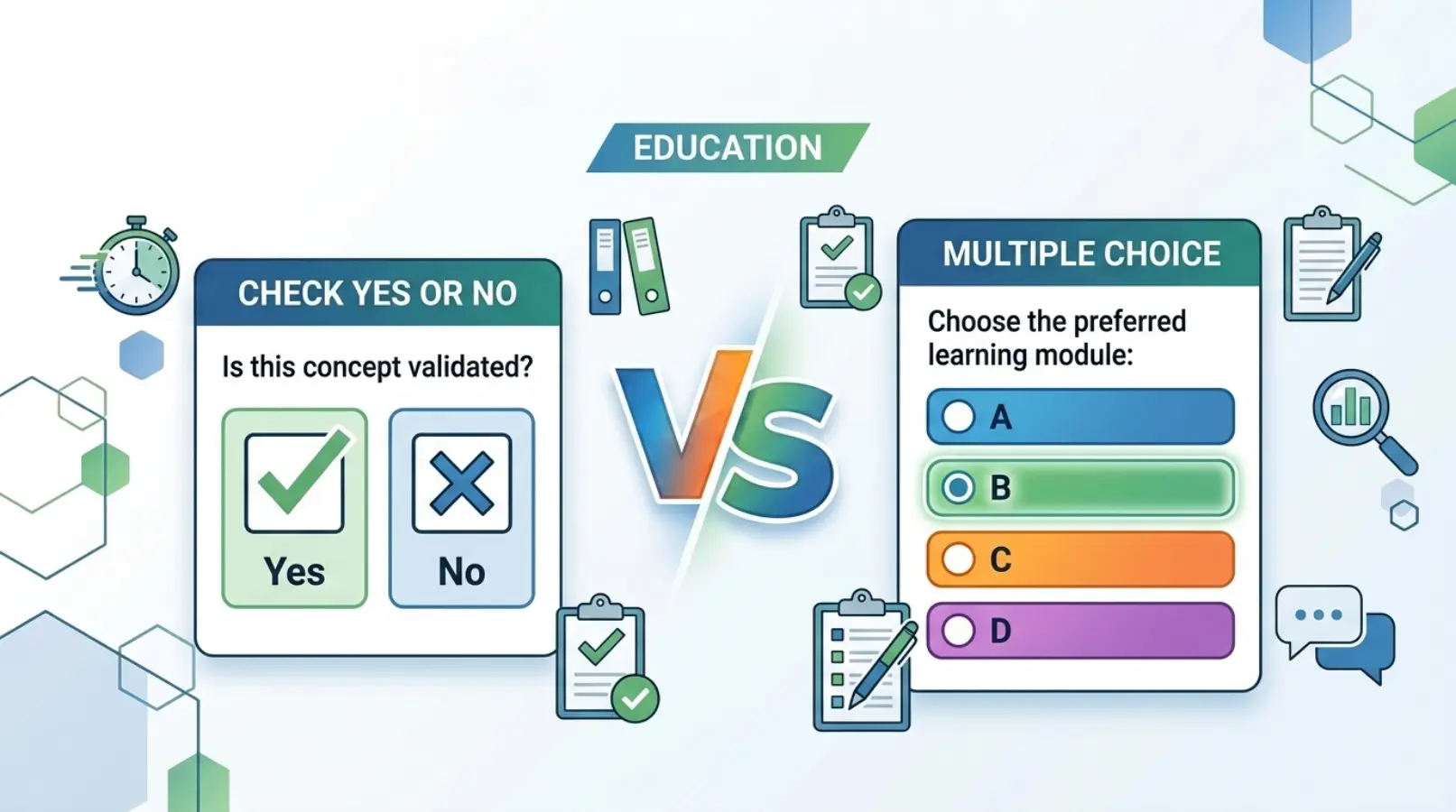
Check Yes or No vs Multiple Choice
Sometimes people confuse yes-or-no questions with multiple-choice questions.
| Feature | Check Yes or No | Multiple Choice |
| Number of answers | Two | Three or more |
| Easy to answer | Yes | Moderate |
| Fast to complete | Yes | Sometimes |
| Best for simple questions | Yes | No |
| Good for detailed opinions | No | Yes |
| Easy to analyze | Yes | Moderate |
Example
Check Yes or No
Do you own a car?
☑ Yes
☐ No
Multiple Choice
How do you travel?
- Car
- Bus
- Train
- Bicycle
Real-Life Examples of Check Yes or No
Example 1
Do you agree with the terms?
☑ Yes
☐ No
Example 2
Have you visited our store before?
☐ Yes
☑ No
Example 3
Would you like email updates?
☑ Yes
☐ No
Example 4
Are you over 18 years old?
☑ Yes
☐ No
Example 5
Do you accept the privacy policy?
☑ Yes
☐ No
Benefits of Using Check Yes or No
There are many advantages.
Easy to Understand
Anyone can answer quickly.
Faster Completion
People finish forms in less time.
Better Accuracy
There is little room for misunderstanding.
Easy Data Analysis
Businesses can count responses quickly.
Mobile Friendly
Checkboxes work well on phones and tablets.

Common Mistakes When Using Check Yes or No
Many people make small errors.
Checking Both Boxes
Only one option should be selected.
Leaving Both Blank
Always answer unless the question is optional.
Asking Confusing Questions
Questions should be simple.
Instead of:
Do you disagree that you are not eligible?
Use:
Are you eligible?
Using Yes/No for Complex Topics
Some questions need detailed answers.
Tips for Writing Better Yes-or-No Questions
Good questions improve response quality.
Keep Questions Short
Use simple words.
Avoid Double Negatives
They confuse readers.
Ask One Thing at a Time
Do not combine multiple questions.
Make Answers Clear
Only allow Yes or No.
Test Your Form
Ask someone to review it first.
Check Yes or No in Digital Forms
Online forms often use radio buttons or checkboxes.
Examples include:
- Google Forms
- Microsoft Forms
- Online applications
- Website contact forms
- Customer surveys
Digital forms reduce paperwork and improve organization.
Best Practices for Businesses
Businesses should follow a few simple rules.
- Use clear language.
- Place Yes before No.
- Keep spacing consistent.
- Make checkboxes easy to click.
- Use large fonts.
- Keep forms accessible for everyone.
These small improvements increase completion rates.

Synonyms
- Yes or No checkbox
- Tick Yes or No
- Select Yes or No
- Mark Yes or No
- Binary choice
- Confirmation checkbox
Expert Insights
Experts in user experience recommend keeping forms simple.
A yes-or-no choice works best when only two answers are possible.
Avoid forcing users to explain simple facts.
Good forms increase completion rates and reduce errors.
Review every question before publishing. If more than two answers are possible, use multiple-choice options instead.
Simple forms also improve accessibility. People with different reading levels can complete them more easily. This creates a better user experience and more reliable data.
Real-Life Scenario
Imagine a hospital asks:
Do you have diabetes?
☐ Yes
☐ No
This simple question helps staff collect information quickly.
Now imagine the same question asks for a paragraph.
It takes longer.
Some people may skip it.
The yes-or-no option saves time for everyone.
Frequently Asked Questions (FAQs)
What does check yes or no mean?
It means choosing one answer by marking either Yes or No.
Is check yes or no the same as a checkbox?
Not always. Some forms use radio buttons instead of checkboxes to allow only one choice.
Why do forms use yes-or-no questions?
They make forms faster, easier, and more accurate.
Can I check both Yes and No?
No. You should normally choose only one answer unless the form says otherwise.
Where is check yes or no commonly used?
It appears on applications, surveys, medical forms, school documents, and online registrations.
What is the difference between a checkbox and a radio button?
A checkbox can allow multiple selections, while radio buttons let users select only one option from a group.
Are yes-or-no questions good for surveys?
Yes. They work well for simple questions but not for detailed opinions.
How can I make yes-or-no questions better?
Use simple language, avoid double negatives, and ask only one question at a time.
Conclusion
The phrase check yes or no may seem simple, but it plays an important role in forms, surveys, and applications. It helps people answer questions quickly while reducing mistakes. Businesses, schools, healthcare providers, and government agencies rely on this format because it is clear, efficient, and easy to analyze. The best yes-or-no questions use plain language, avoid confusing wording, and focus on one idea at a time. When a question truly has only two possible answers, this format is often the best choice. By following the tips in this guide, you can create forms that are easier to complete, improve user experience, and collect more reliable information.
Discover More Post:
Roll Call or Role Call: Which Is Correct? Meaning, and Examples
Judgement or Judgment: Which Is Correct? Complete Guide