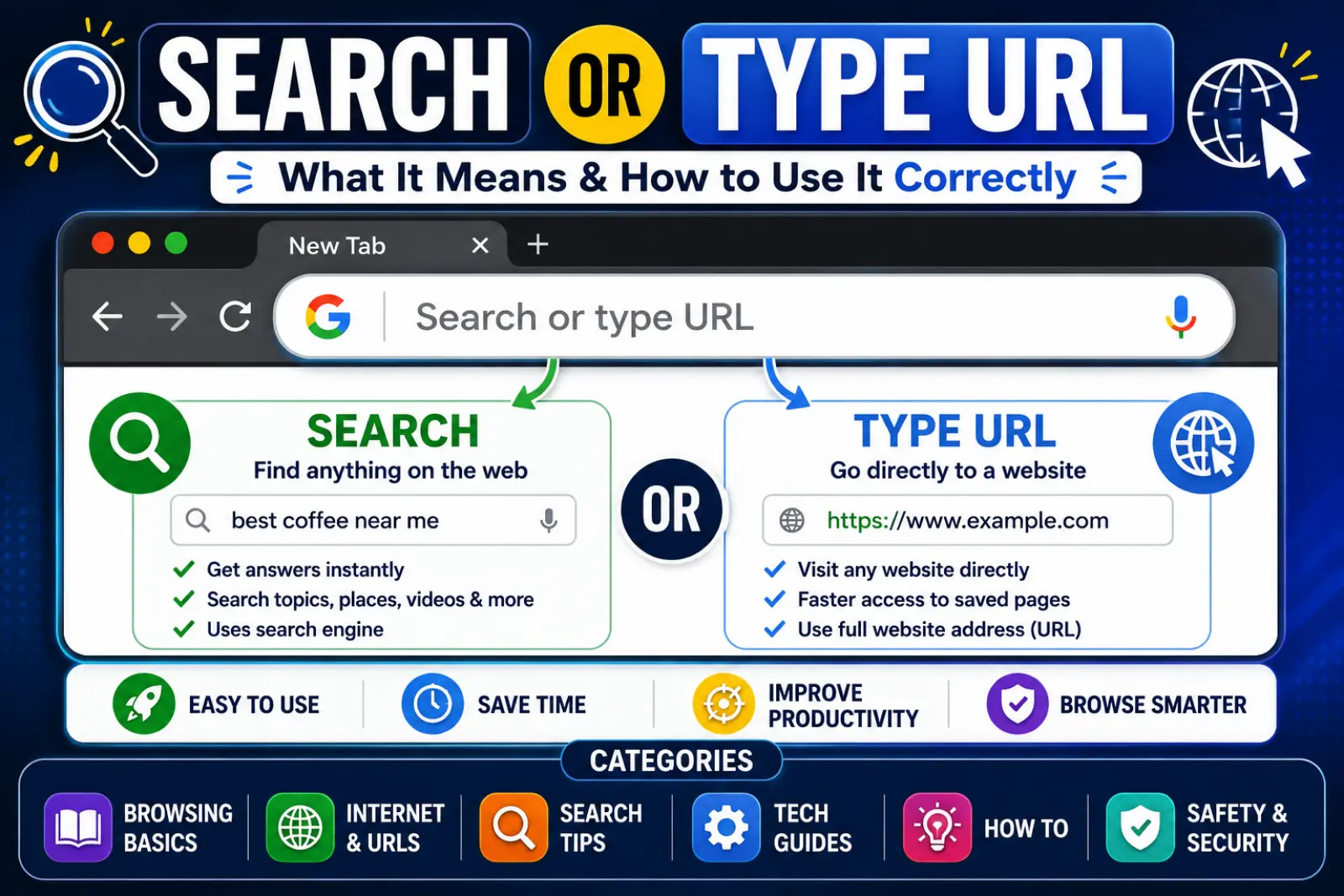
Search or type URL is a phrase you see in most web browsers. It appears in the address bar at the top of the browser window. Many people use it every day without knowing exactly what it means.
This feature lets you either search for information online or enter a website address directly. It helps users find websites quickly and easily.
Whether you use Google Chrome, Microsoft Edge, Mozilla Firefox, or Safari, you have likely seen the “search or type URL” prompt. Understanding how it works can save time and improve your browsing experience.
In this guide, you’ll learn what “search or type URL” means, how it works, common mistakes to avoid, and tips for using it effectively.
Quick Summary Box
- Found in the browser’s address bar.
- Lets users search the web or enter a website address.
- Works in Chrome, Edge, Firefox, Safari, and other browsers.
- Saves time by combining search and navigation.
- Supports keywords, URLs, and search queries.
- Helps users access websites quickly.
- Essential for everyday internet browsing.
What Does Search or Type URL Mean?
The phrase means you can do one of two things:
- Search for information using keywords.
- Enter a website address directly.
For example:
- Search: best pizza near me
- URL: www.wikipedia.org
The browser automatically determines whether you want to search or visit a specific website.
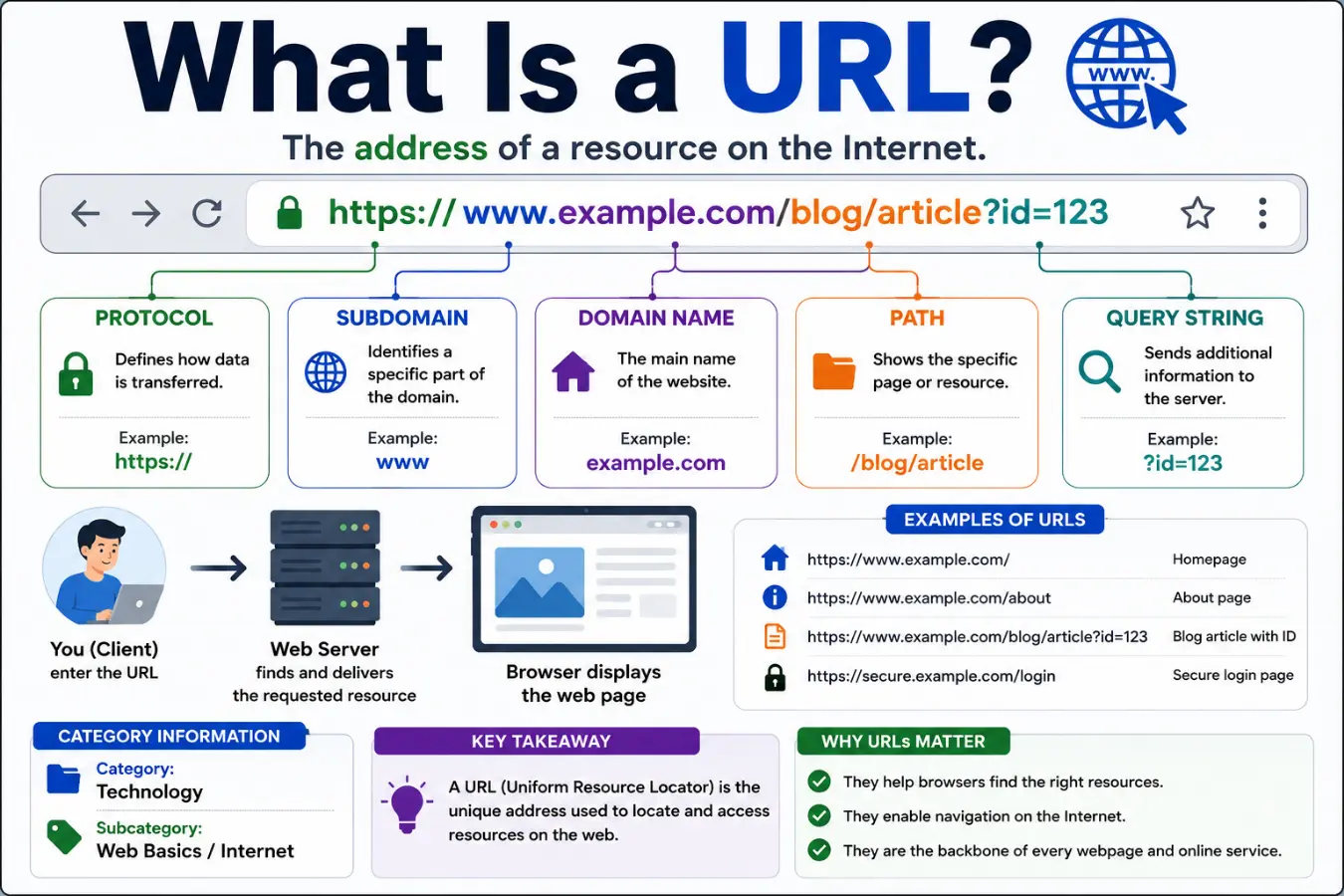
What Is a URL?
A URL stands for Uniform Resource Locator.
It is the web address of a webpage or website.
Examples include:
URLs help browsers locate websites on the internet.
Parts of a URL
| Part | Example |
| Protocol | https:// |
| Domain Name | google.com |
| Path | /search |
| Query Parameters | ?q=weather |
How Search or Type URL Works
Modern browsers use a single bar called the Omnibox or Address Bar.
When you enter text, the browser analyzes it.
If You Type:
www.amazon.com
The browser opens Amazon directly.
If You Type:
best laptops under 1000
The browser performs a search.
This smart system makes browsing faster and easier.
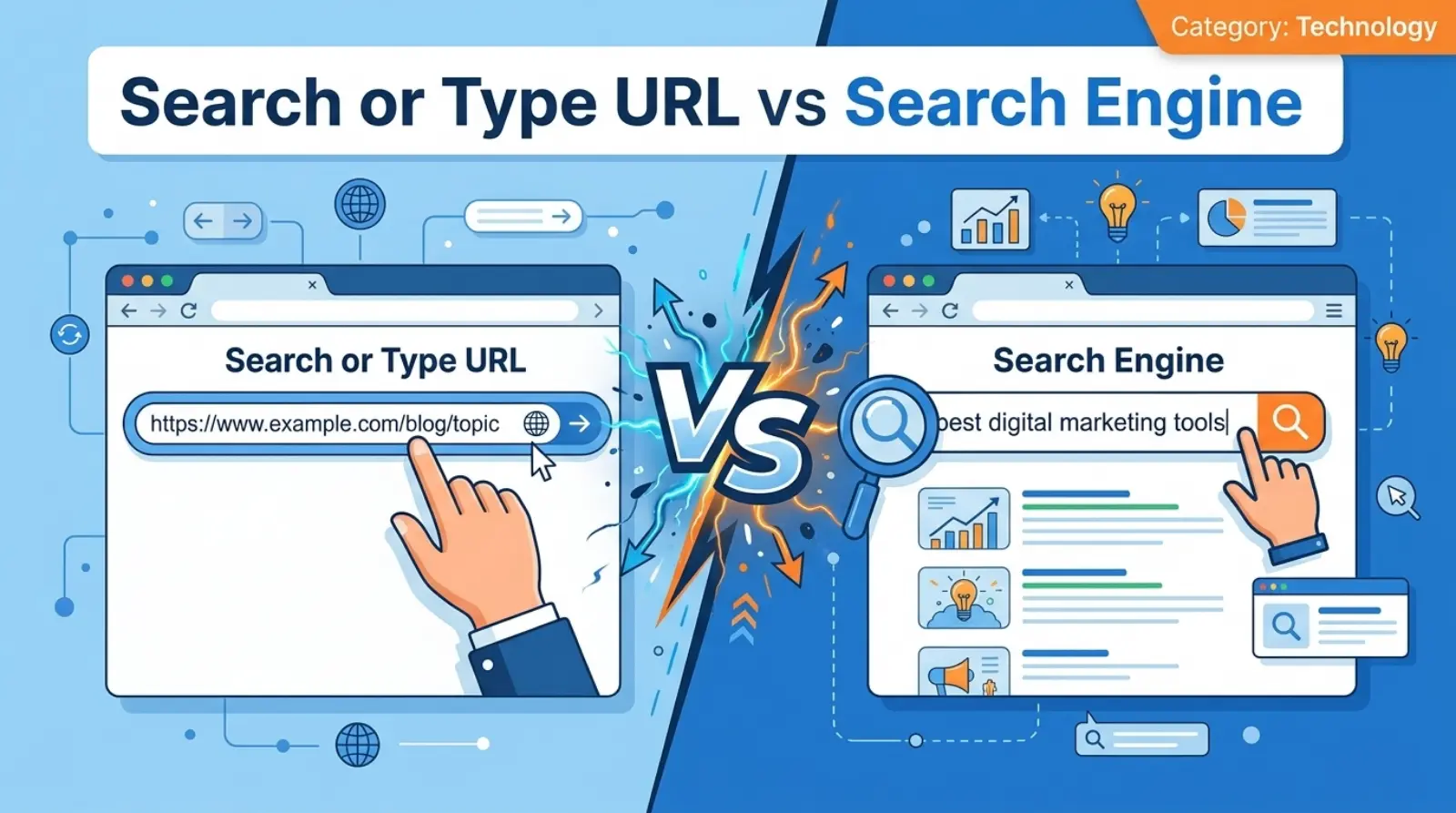
Search or Type URL vs Search Engine
Many people confuse the browser address bar with a search engine.
Comparison Table
| Feature | Search or Type URL | Search Engine |
| Location | Browser address bar | Website like Google |
| Purpose | Search or enter URL | Search information |
| Speed | Faster access | Requires search page |
| Direct Website Access | Yes | No |
| Built Into Browser | Yes | No |
Example
If you type:
facebook.com
The browser goes directly to Facebook.
If you type:
how to create a Facebook page
The browser uses a search engine to find results.
Why Browsers Use Search or Type URL
Browsers use this feature because it simplifies navigation.
Benefits include:
- Faster browsing
- Better user experience
- Less confusion
- Quick website access
- Improved productivity
Users no longer need separate search and address boxes.
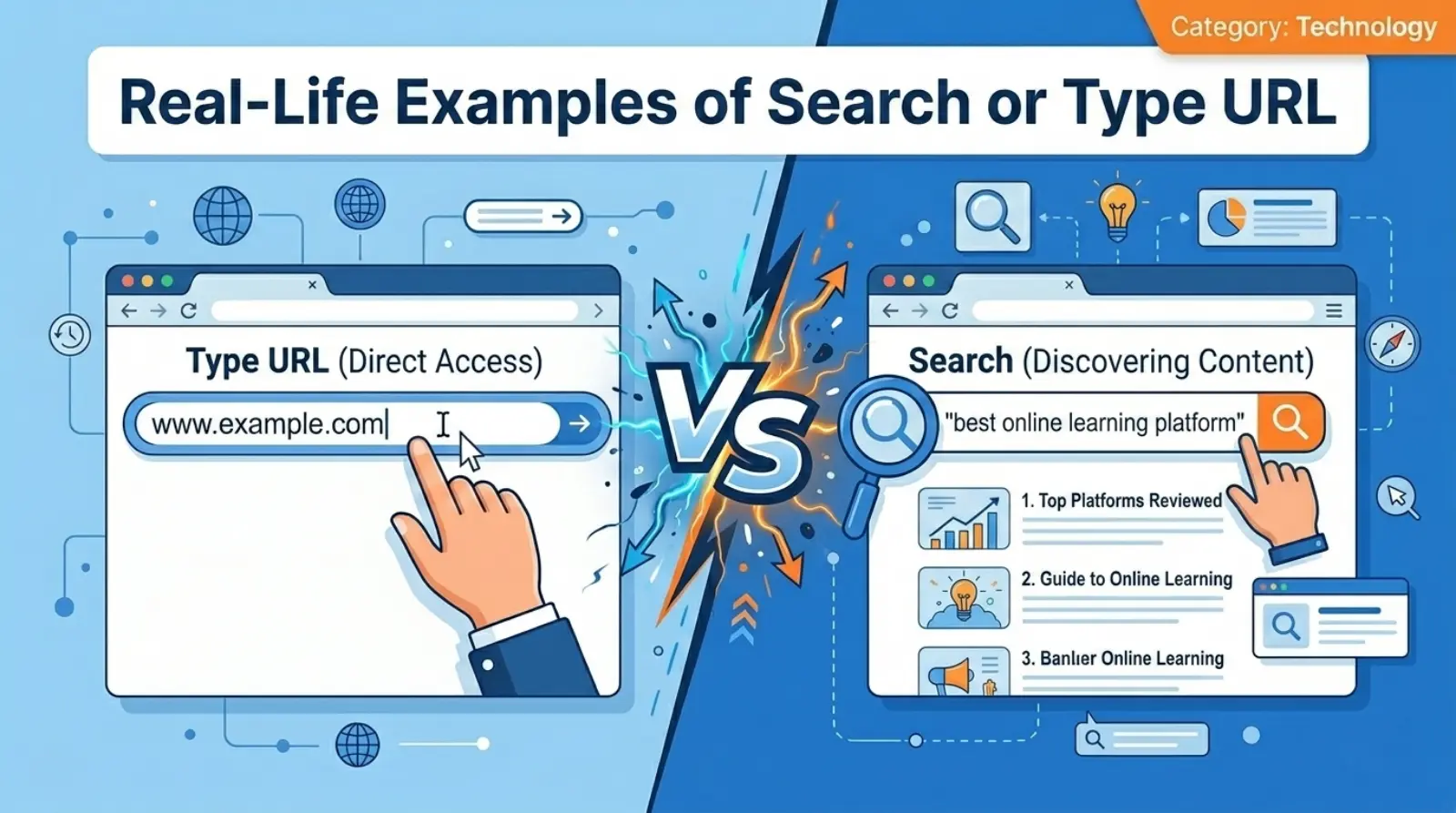
Real-Life Examples of Search or Type URL
Example 1: Visiting a Website
You enter:
www.netflix.com
The browser opens Netflix instantly.
Example 2: Searching for Information
You type:
weather today
The browser displays search results.
Example 3: Finding a Business
You type:
coffee shops near me
The browser shows nearby businesses.
Example 4: Educational Search
You type:
history of the internet
The browser searches the topic online.
Common Mistakes When Using Search or Type URL
Many users make simple mistakes.
1. Typing an Incorrect URL
Wrong:
www.gogle.com
Correct:
www.google.com
2. Missing Domain Extensions
Wrong:
amazon
Better:
amazon.com
3. Adding Spaces in URLs
Wrong:
www. mysite .com
Correct:
www.mysite.com
4. Confusing URLs With Search Queries
Typing:
what is amazon.com
creates a search instead of opening the website directly.
Tips for Using Search or Type URL Efficiently
Use Autocomplete
Browsers suggest websites and searches automatically.
Bookmark Frequently Used Sites
Save important websites for one-click access.
Check Spelling
Correct spelling prevents errors.
Use HTTPS Websites
Secure websites protect your information.
Keep Browser Updated
Updated browsers improve speed and security.
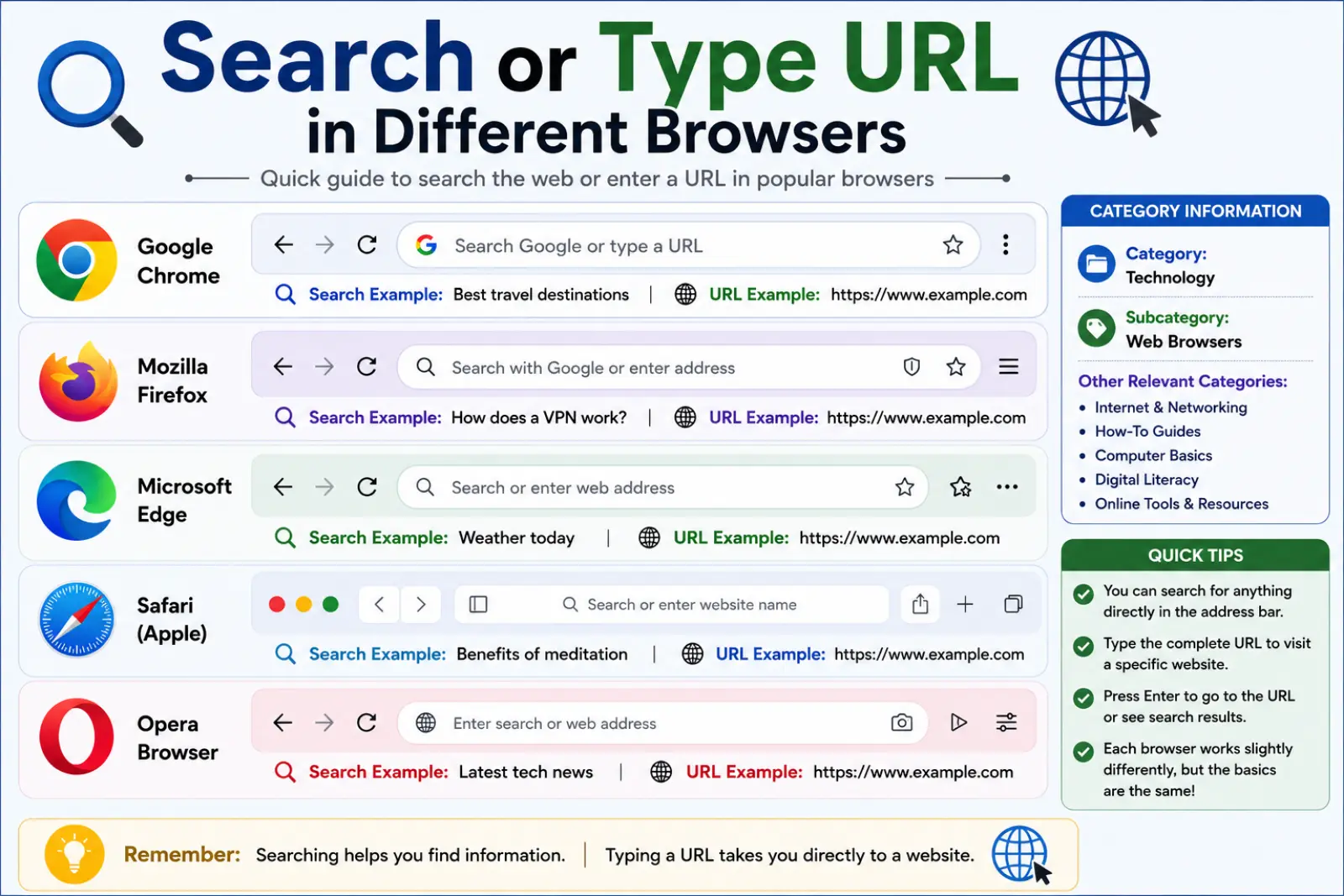
Search or Type URL in Different Browsers
Most browsers use similar functionality.
Google Chrome
Chrome uses the Omnibox for searching and navigation.
Microsoft Edge
Edge combines search and URL entry into one bar.
Mozilla Firefox
Firefox provides smart suggestions while typing.
Safari
Safari offers website recommendations and search suggestions.
Opera
Opera includes built-in search shortcuts.
Benefits of Using Search or Type URL
Saves Time
You do not need separate search tools.
Improves Navigation
Access websites quickly.
Reduces Errors
Autocomplete helps users find the correct website.
Enhances Productivity
Reach information faster.
Simplifies Internet Use
Even beginners can browse easily
Synonyms
- Browser address bar
- URL search bar
- Website address bar
- Search bar
- Omnibox
- Enter website address
- Browser navigation bar
- Search website URL
- Web address
- Internet browser search
How Search or Type URL Helps Everyday Users
This feature supports daily internet activities.
Students
Search educational resources quickly.
Professionals
Access work tools faster.
Online Shoppers
Visit eCommerce websites directly.
Travelers
Find maps, hotels, and flights.
Business Owners
Manage websites and online services efficiently.
Expert Insights: Why Understanding Search or Type URL Matters
Digital literacy is essential today.
Knowing how browsers work helps users browse safely and efficiently.
Experts recommend:
- Learning basic URL structures.
- Verifying website addresses before entering personal data.
- Using secure websites.
- Understanding browser search behavior.
These simple habits improve online security and user experience.
Frequently Asked Questions (FAQs)
What does search or type URL mean?
It means you can search the internet or enter a website address directly in the browser bar.
Is search or type URL the same as Google?
No. It is the browser address bar, while Google is a search engine.
What happens when I type a URL?
The browser opens the corresponding website.
Can I search from the address bar?
Yes. Modern browsers allow direct web searches from the address bar.
What is an example of a URL?
Examples include:
Why does my browser say search or type URL?
The browser encourages users to either search the web or enter a website address.
What is the difference between a URL and a search query?
A URL is a web address. A search query is a phrase used to find information online.
Is it safe to type URLs directly?
Yes, as long as you visit trusted and secure websites.
Conclusion
Understanding it helps you browse the internet more effectively. This simple browser feature combines web searching and website navigation into one convenient tool. Whether you want to visit a specific website or search for information, the address bar makes the process fast and easy.
By learning the difference between URLs and search queries, avoiding common mistakes, and using browser features like autocomplete, you can improve your online experience. Modern browsers are designed to make navigation simple, secure, and efficient.
The next time you see search or type URL, you’ll know exactly what it means and how to use it like a pro.